
A Kanban board filled with post-its, three messaging apps open simultaneously, a shared spreadsheet that no longer syncs: tools are multiplying without the project actually progressing. The main difficulty lies in the flow of information between people, not in the number of software installed. A collaborative project management software is not meant to stack features, but to create a workflow that is clear for the entire team.
AI Governance in Collaborative Software: What the AI Act Changes
Since February 2, 2025, the European regulation on artificial intelligence requires organizations to have a sufficient level of control over AI for the people using these systems. Specifically, if your project management tool includes an automatic task assignment feature or a summary of exchanges, your company must document these uses and ensure human oversight.
This is no longer a topic reserved for IT departments. Selecting collaborative software becomes an act of compliance. Before comparing prices or integrations, check that the publisher provides clear documentation on how its algorithms work, configurable usage rules, and the ability to disable or correct an automated decision.
For companies with a Works Council, deploying an AI feature that analyzes employee activity may require prior consultation with employee representatives. Change management must include social dialogue before production goes live, not after. Specialized platforms offer environments compliant with these requirements, as can be seen on https://www.geniusinside.fr/, which details the management mechanisms integrated into this type of solution.

Control and Audit Criteria for Choosing Project Management Software
Most comparisons focus on views (Gantt, Kanban, calendar) and third-party integrations. These criteria matter, but they obscure an increasingly decisive angle: traceability and access control.
Why is this criterion becoming a priority? Because a project involves external service providers, cross-functional teams, and sometimes sensitive data. An effective tool must allow you to know who modified what, when, and why.
Here are the control functions to check before any commitment:
- Fine role management: each team member only accesses the tasks and documents relevant to them, with distinct permission levels (read, edit, approve).
- Timestamped audit logs: each action (creation, modification, deletion, approval) is recorded and accessible to administrators, facilitating internal or regulatory audits.
- Automated provisioning and deprovisioning of accounts: when a service provider leaves the project, their access is automatically revoked via synchronization with the company’s directory (single sign-on type SSO).
- Mandatory approvals: certain project stages cannot be passed without formal approval from a manager, preventing deliverables from being published by mistake.
These functions are not always included in entry-level offers. Check their availability from the version you plan to use, not in an inaccessible premium plan.
Structuring Real-Time Collaboration Without Overwhelming the Team
Real-time communication is an asset, but it becomes a trap when it is not channeled. A discussion channel per project, plus a general channel, plus notifications on every comment: the result is an information overload that slows down decision-making.
An effective collaborative software does not just offer integrated chat. It structures exchanges around tasks. Each comment is linked to a specific task, visible in its context. The team no longer needs to sift through a conversation to find a decision.
Reducing Notifications Without Losing Information
Set alerts by role, not by person. A developer does not need to receive a notification when the budget is updated. A project manager does not need to be alerted on every commit. Role-targeted notifications reduce noise without creating blind spots.
Some tools offer daily or weekly automatic summaries: a condensed overview of changes, completed tasks, and blockages. This format effectively replaces the twenty-minute follow-up meeting where everyone reads what others have already seen on screen.
Resource Planning and Workload: Avoiding Overallocation
Assigning a task to a collaborator does not mean they have the time to complete it. Overallocation is one of the most common problems in project management, and it often goes unnoticed until actual delays occur.
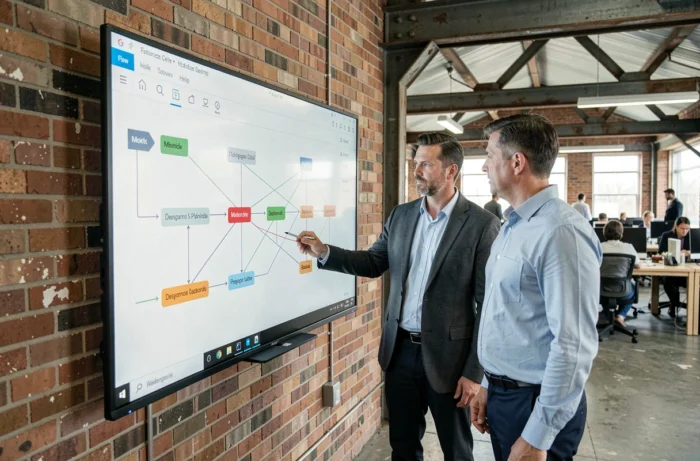
An effective collaborative software displays the workload of each team member over a given period. You can immediately see who is overloaded and who has capacity. Task distribution is based on real data, not impressions.
Linking Tasks to Dependencies to Anticipate Blockages
Planning is not just about setting start and end dates. Each task often depends on another. If the mockup is not validated, development cannot start. A good tool materializes these dependencies and automatically recalculates the schedule when a milestone shifts.
This mechanism prevents situations where three people are waiting for a deliverable without knowing that the blockage comes from a prior validation. Visibility on dependencies transforms planning into a management tool, not just a decorative calendar.
Data Reversibility: An Underestimated Criterion When Choosing
You have centralized two years of projects, documents, and histories in a tool. On the day you change software or provider, can you retrieve your data in a usable format?
Data reversibility determines your long-term autonomy. Check that the publisher offers a complete export (tasks, comments, attachments, history) in standard formats (CSV, JSON, XML). Software that locks your data in a proprietary format creates a dependency that is hard to break.
This criterion weighs as much as usability or price in the final decision. A tool that is pleasant to use but impossible to leave is not a reliable tool for long-term projects.
To choose collaborative project management software, three criteria deserve priority evaluation: regulatory compliance (especially regarding the AI Act), action traceability, and the ability to recover your data if you leave. Compliance, traceability, and data reversibility determine the robustness of your project organization over several years.